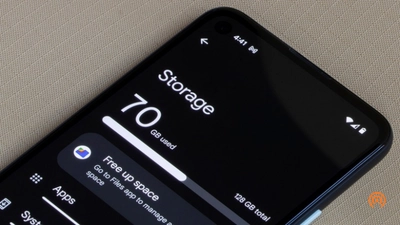
The Android Phone Storage Full Fix is one of the most searched problems of Smartphone users. This is a problem many people face when their device suddenly shows “storage full” warning while they are not sure what is taking up space.
This problem affects almost all Android devices, especially budget and mid-range phones with limited storage. Over time, with apps, photos and system files, storage gets filled quickly. Devices with the Android operating system often need regular maintenance to keep storage in check.
How to Android Phone Storage Full Fix
The storage problem doesn’t happen overnight. It happens gradually due to a number of reasons.
One of the main reasons: app data. Social media and messaging apps like these store a lot of cache and media files. Over time this data builds up and takes up storage space.
Pics and vids are one more reason: Especially if you have automatic backups switched on, good quality pictures and recordings can take up a lot of space.
There are also system updates: Each update downloads new files to your device and sometimes older files are not removed automatically.
Hidden Storage You Can’t See
Many users think that they have a few apps but hidden storage takes up more space then expected.
There are often cached files, temporary data, and duplicate files behind the scenes. Apps like WhatsApp and other media-rich apps automatically download images, videos and documents, which quickly fills up storage.
That hidden data is one of the main reasons your phone shows the warning about full storage.
Phone Storage Full Problem Android Phone Storage Full Fix – Working Solutions
This is a simpler repair than most people realize. No technical skills needed, just follow simple steps.
One of the fastest solutions is to clear the cache . First , Go to your phone settings, open app storage and clear cache for apps that use a lot of data. This alone can free up quite a bit of space.
Another good method is to delete apps that you don’t use. Many users keep apps that they no longer use. These apps can be uninstalled immediately to free up space.
Photos and videos are the biggest storage hogs. Freeing up space can be accomplished by moving files to cloud storage or deleting files you don’t need.
Internal Storage Cleaner
Many Android phones come with a built-in storage cleaner. It scans your phone and suggests files that can be safely deleted.
Using this tool regularly will help keep your storage maintained and prevent the problem from occurring again.
Transfer Files to Cloud Storage
In 2026, one of the best solutions is cloud storage. Services like Google Photos let users store photos and videos online rather than on their device.
- Not only save space, but also keep your data safe.
- Restart and Refresh Your Phone
- Sometimes storage problems are caused by temporary system errors. To fix minor glitches, try restarting your iPhone.
- Updating your system software can also help, as performance and storage optimizations are often included in newer updates.
What not to do
Do not download third-party cleaner apps from untrusted sources. A lot of these apps don’t work right, and they can even slow your phone down.
Also, do not delete system files manually as it may lead to serious issues.
How to Avoid Storage Issues in Future -Android Phone Storage Full Fix
The best precautions are to keep your storage in hand.
Delete files that are no longer needed weekly, don’t download duplicate content, keep only important apps. Also save on storage by turning off auto media downloads in messaging apps.
Android Phone Storage Full Fix is a general issue but can be solved easily if you know the right approach. Users can optimize the performance of their devices by clearing cache, deleting unnecessary files, and utilizing cloud storage.
The best way to avoid this problem in the future is regular maintenance.
#Android Phone Storage Full Fix #Android Phone Storage Full Fix #Android Phone Storage Full Fix